
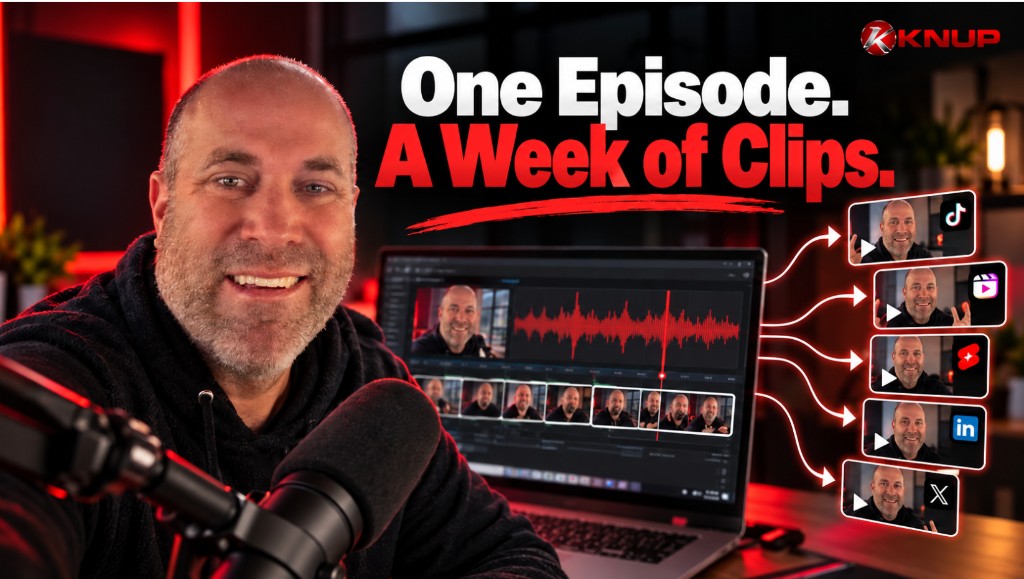
The episode is the source file. The clips are how most people discover it.
After 245 episodes of the Knup Sports Show, I watched the same pattern over and over: record a strong conversation, publish the feed, feel finished — then wonder why nobody new showed up. The bottleneck was never the interview. It was distribution. Short clips are how you fix that without recording seven times.
That matters even more now. I am running two shows — Rewritten and Built (by Knup) — on one stack. Dual shows only work if each episode earns a week of reach. I wrote the operating system in How to Start Two Podcasts Without Burning Out. This post is the clip workflow inside that system.
1. Define the clip pack before you open any tool
If “make some clips” is the goal, you will stall. Ship a fixed pack from every episode:
- 1 long cut — full episode or a clean YouTube version
- 3–5 short clips — 30–90 seconds, one idea each
- 1 quote graphic or still — for days you are not posting video
- 1 owned episode page — the link you send guests and listeners
That pack is the week. Not twenty random cuts. Not a perfect trailer that never ships. The same thinking as repurposing content for your brand — one asset, many surfaces.
2. Record like you already plan to clip
Clipping is easier when the source is clean. Video from day one. Clear audio. Guests looking at camera when it matters. Short answers when you can get them.
My recording lane is still simple: Audio-Technica ATR2100x into StreamYard, then Buzzsprout for the feed. The full gear checklist lives in How to Start a Podcast With a Simple Setup. You do not need a second studio for shorts — you need a conversation with clear moments.
During the talk, listen for clip candidates: a sharp opinion, a story with a punchline, a “here is the mistake” line, a one-sentence framework. Mark them in your notes while you record. Future-you will thank present-you.
3. My current engine: ChatGPT Work
My latest clipping routine is ChatGPT Work. It worked amazingly for this job.
The pattern looks like this:
- Feed Work the episode source (or the parts you already flagged)
- Ask for the best 30–90 second moments with timestamps or clear beat descriptions
- Have it draft vertical captions, hook lines, and platform-ready descriptions
- Review every cut yourself — AI finds candidates, you keep the taste
- Export the shorts you will actually post this week
Work is useful because it does more than “summarize the episode.” It can help pull moments, shape hooks, and move the repetitive packaging work off your plate — the same reason I want AI on show notes and page drafts. Human judgment stays on the microphone and the final publish button. That line matches how I think about using AI to create content: agents for workflow, not for fake conversations.
Clip with ChatGPT Work
This is the engine I am using right now for Rewritten and Built episode packs — find moments, draft hooks, ship the week faster.
4. Other tools that still earn a spot
ChatGPT Work is my current lane. It is not the only good option — and you should pick the tool that finishes the pack, not the one with the longest feature list.
- FlexClip — simple templates and AI-assisted video when you want a polished promo cut without a full editing suite
- Descript — strong when you like editing from a transcript and cutting by deleting text
- Riverside — worth testing if your recording tool already offers clip suggestions and local tracks
- Metricool — light mention: still useful if you need multi-brand scheduling; I am not living in it day to day anymore
Tools change. The rule does not: one episode → one clip pack → one week of posts. If a new feature saves you an hour without adding three new tabs, use it. If it becomes another half-built system, delete it.
5. Pick moments that travel without the full context
A great podcast moment is not always a great clip. Viewers land cold.
- Open with the punch, not the preamble
- One idea per clip — not a three-topic montage
- Captions on by default
- End with a reason to watch or visit the episode page
- Skip anything that only works if you already love the guest
If you have to explain the clip in the caption to make it make sense, it is probably not ready. Cut tighter or save that moment for the full episode.
6. Spread the pack across the week
Dumping five clips on launch day wastes the asset. Treat the episode like a content calendar:
- Day 1: publish audio + owned page + one strongest clip
- Day 2–3: second and third clips on different networks
- Midweek: quote graphic or still
- Later in the week: remaining clips, or a guest-share package
- Anytime: send the episode page link, not only the platform URL
Consistency beats volume — the same lesson as maintaining marketing instead of restarting it. A boring calendar that ships is better than a clever plan that resets every Monday.
If you still need a multi-brand scheduler for several properties, the system in How to Schedule Social Posts for Multiple Brands still applies. Keep the tool layer light.
7. Own the home for the conversation
Clips create attention. Your website catches it.
Every episode should land on a page you control — player embeds, takeaways, guest links, transcript highlights, next step. Guests share one clean URL. Search engines get text. You are not handing the whole relationship to an algorithm that can change next week.
That is the publishing system Built by Knup is built around: show + site + distribution, not just another upload form.
A simple one-episode → one-week checklist
- Record with video and mark 3–5 clip candidates live
- Publish the feed and the owned episode page
- Run ChatGPT Work (or your backup tool) for cuts, hooks, and captions
- Approve 3–5 shorts + one quote asset
- Schedule the week — do not dump everything on day one
- Send the guest a ready-to-share pack with your page link
- Review what got watch time before the next recording day
Final thoughts
Turning one podcast episode into a week of clips is not a creativity trick. It is a finish-line rule. Record once. Package on purpose. Publish across the week. Let AI handle the repetitive cuts and captions — keep your taste on what ships.
That is how I am approaching Rewritten and Built after a long sports-show run: fewer tools, clearer packs, and distribution that actually happens.
Source quality still matters
Clips cannot fix muddy audio. The ATR2100x is the USB mic I use so every short starts from a clean take.
- Audio-Technica ATR2100x — The USB/XLR mic Ryan uses for podcasts, interviews, and simple creator setups.
As an Amazon Associate I earn from qualifying purchases.
Clip faster — or wire the full publishing system
ChatGPT Work is what I am using to turn episodes into weekly clip packs. If you want the website, episode pages, and distribution workflow connected end to end, start Built Discovery.