
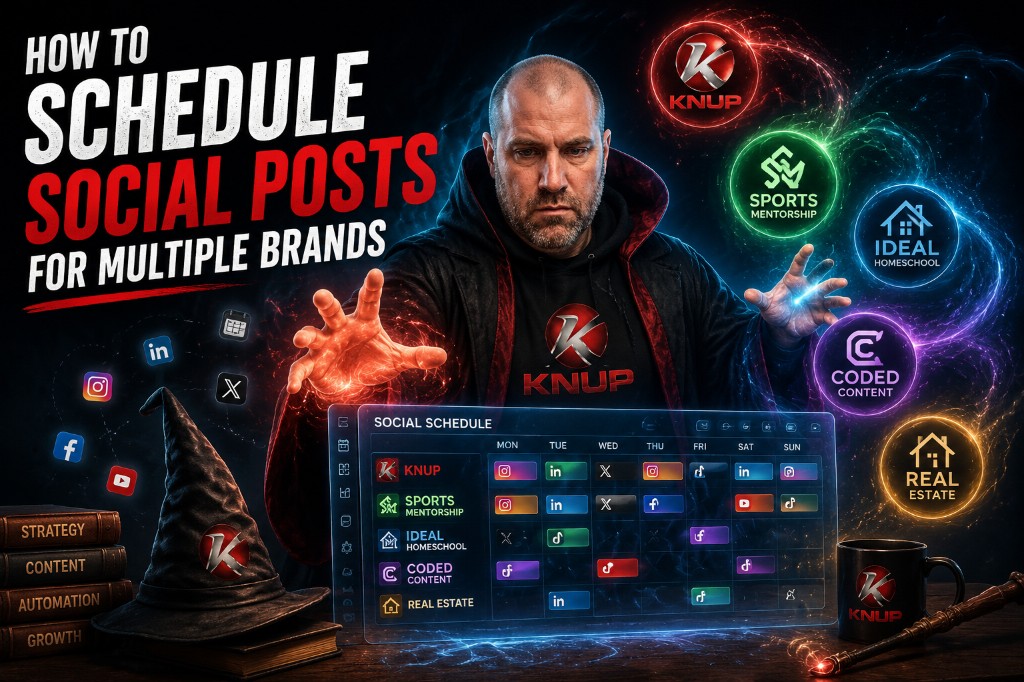
I run more than one brand. Knup. Sports Mentorship. Ideal Homeschool. Coded Content. Real estate. When you try to post for all of those from your phone in real time, you burn hours and still miss posts.
The fix is not “post more.” The fix is a simple schedule system. One planning block. Clear brand buckets. One tool that can publish across accounts. Then you can stay present without living inside Instagram Stories all day.
This is the process I use. It is not fancy. It works.
Why multi-brand social gets hard
Each brand has a different voice. Knup can be blunt and systems-focused. Sports Mentorship is more coach and mentor. Ideal Homeschool speaks to parents. Real estate is local and practical. If those voices blend, your audience notices.
The other problem is time. Jumping between apps is slow. Uploading the same graphic five times is slow. Checking analytics in five places is slow. That is why I batch the work and use a scheduler.
My go-to for this is Metricool. I like it because I can manage multiple brands, schedule across platforms, and review performance from one place.
Step 1. Separate your brands first
Before you schedule anything, make a short list for each brand:
Audience: Who is this for?
Offer: What should people do next?
Tone: How should this brand sound?
Content pillars: What 3 to 5 topics do we talk about every week?
Example pillars for a brand like Knup might be websites, automation, domains, and content systems. For Sports Mentorship it might be athlete growth, family support, and life skills.
This takes one sitting. Once you do it, scheduling gets easier because you are not inventing a new angle every day.
Step 2. Build a weekly content bank
I set aside one block each week. Sometimes Tuesday morning. Sometimes Sunday night. The goal is to fill a week of posts in one sitting.
For each brand, I aim for a small mix:
One post that teaches something.
One post that shows proof or a result.
One post that invites a next step.
One lighter post that still fits the brand.
If you already create blogs, emails, or podcasts, do not start from scratch. Turn them into short posts. I wrote more on that in Why You Should Be Repurposing Content for Your Brand. A good story library also helps when you need a personal example fast.
Step 3. Match each post to the right platform
Not every post belongs everywhere. LinkedIn can carry longer tips. Instagram likes clean visuals. X is better for short takes. Facebook often works for community and local real estate messaging. TikTok and YouTube Shorts need short video.
When I schedule in Metricool, I decide the platforms while I write. That saves a second rewrite later. It also keeps me from dumping the same caption on every channel with no changes.
Use Metricool for multi-brand scheduling
This is the tool I use to plan, schedule, and track social posts across multiple accounts and brands from one dashboard.
Step 4. Schedule in one sitting
Here is the rhythm I recommend:
1. Open your content bank for the week.
2. Open your scheduler by brand.
3. Load graphics or short clips.
4. Write captions that match brand tone.
5. Set times for the week.
6. Leave a few slots open for real-time posts.
That last part matters. Scheduled content keeps you consistent. Live posts keep you human. A big win, a trip, or a useful tip can still go out the same day.
If you are managing five brands, you will feel the difference immediately. Instead of logging into every app every morning, you spend one focused block and free the rest of the week for real work.
Step 5. Keep brands visually separate
Design is part of the system. Use brand colors and simple templates so your audience can tell accounts apart in half a second. Red and black for Knup is clear. Soft blues or greens can fit education brands. A more local, home-focused look fits real estate.
I keep this simple on purpose. Fancy templates that need heavy editing each time slow you down. Good enough and on brand beats perfect and late.
Step 6. Review what worked once a week
Scheduling gets you consistent. Reviewing gets you better. Once a week, look at:
Which posts got saves or shares?
Which posts drove profile visits?
Which links got clicks?
Which brand is falling behind?
Then adjust next week’s plan based on that. Do not overreact to one quiet post. Look for patterns after 2 to 4 weeks.
Social is also only part of the path. If people click through and your site has no clear next step, you still leave value on the table. That is the exact issue I cover in Why Your Blog Gets Traffic but No Leads. Pair social traffic with email capture in ActiveCampaign and the system starts compounding.
A sample week for multiple brands
Here is a simple version if you want a starting point:
Monday: Teach a tip for Brand A and Brand B.
Tuesday: Share a story or proof for Brand C.
Wednesday: Offer a next step for Brand A.
Thursday: Local or audience-specific post for Brand D.
Friday: Short win / lesson for Brand B and Brand E.
Weekend: One lighter post or one live moment.
You can scale this up or down. Two brands need less. Five brands need more planning time, but the same structure.
Common mistakes I still see
Same caption everywhere. Readers notice. Adapt the hook at least.
Too many brands, no system. If you cannot name your pillars, scheduling will always feel random.
Posting only when inspired. Inspiration is great. Systems keep brand awareness alive.
No CTA. Every week should have a few posts that invite a click, a reply, a signup, or a call.
Tools I use around this
Scheduler: Metricool
Email and CRM follow-up: ActiveCampaign
Full tool list: my resources page
You can build this whole flow yourself. If you want help connecting social traffic into website systems, funnels, and CRM workflows, that is what we do through Built by Knup.
Final thought
Multi-brand social does not have to feel like juggling fire. Separate the voices. Batch the content. Schedule in one sitting. Review once a week. Then get back to building the business.
If you only make one change this week, do this: pick your top two brands and schedule five days of posts for each in Metricool. That alone can calm the chaos.
Start with Metricool, then tighten the full system
Use Metricool to schedule across your brands, then make sure clicks have a clear place to go on your site and in your email system.