
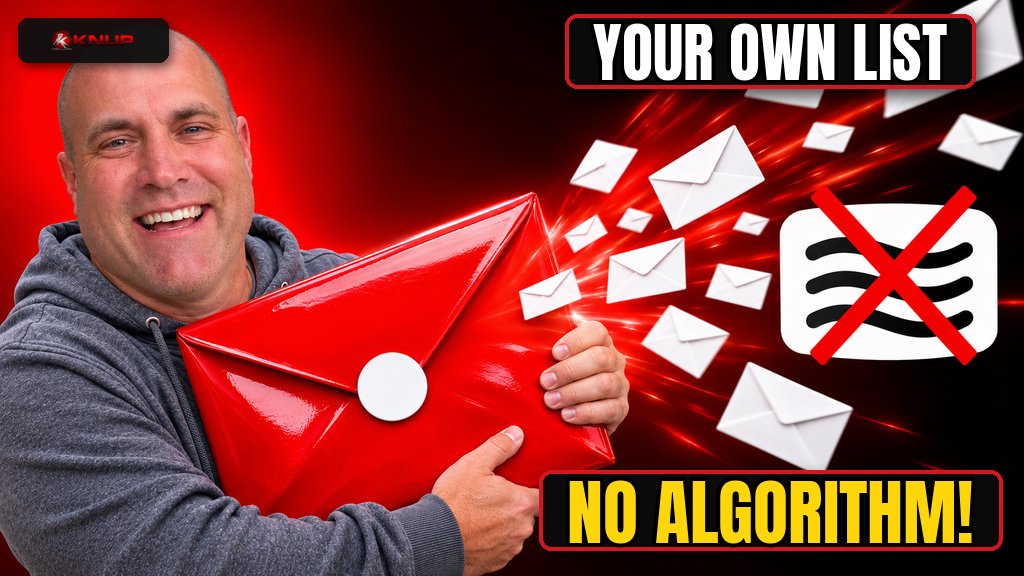
Every creator platform has the same catch. You build the audience, but the platform owns the relationship.
The algorithm changes and your reach drops. An account gets limited. A feature you relied on goes away. You did the work, and you still don't have a direct line to the people who wanted to hear from you.
A newsletter fixes that. It's an email list of people who asked to hear from you, and you can reach them without asking permission from a feed.
I've written before that distribution is the problem for most businesses and creators, not the content itself. An email list is distribution you control. So here's how I'd start a newsletter today, the simple way, without overthinking it.
Why start a newsletter in the first place?
Social posts are rented attention. Email is owned attention.
That doesn't mean you quit social. Social is where people find you. The newsletter is where you keep them. One feeds the other.
A newsletter also forces something good. When you write to the same people every week, you have to actually have something to say. That's a healthy filter, and it's why I think posting is not marketing on its own. Showing up in someone's inbox with something useful is a different level of relationship than a scroll-by.
And if you ever want to make money from your audience, the list matters. I covered the main income streams in how to make money as a content creator. Almost every one of them works better when you can reach people directly.
Step 1. Pick a topic narrow enough to be useful
"My thoughts on business" is not a newsletter. Nobody signs up for that unless they already know you.
A good newsletter topic answers one question. Who is this for, and what do they get every time it shows up?
Some examples of the shape I mean:
- A weekly roundup of AI tools for small business owners, tested and explained in plain English.
- Practical tips for homeschool parents in one state.
- One golf lesson you learned the hard way each week, from a fan's point of view, not a pro's.
- Behind-the-scenes notes from building a business in public.
Write one sentence that finishes this line: "Every week, you'll get ___ so you can ___." If you can't finish it, you're not ready to pick a tool yet.
Step 2. Decide on a simple format and schedule
The format is the promise. Pick one you can keep for a year, not one that sounds impressive this week.
A few formats that work well:
- The single idea. One lesson, one story or one how-to per issue.
- The roundup. Three to five links or tools with a short take on each.
- The behind the scenes. What you're building, what worked and what didn't.
- The Q and A. Answer one reader question in depth.
Then pick a schedule. Weekly is a good default. It's frequent enough that people remember you and loose enough that you can keep it up. Monthly is fine if each issue is meaty. Daily is a lot, and I'd only go there if the content is genuinely daily, like news or scores.
Here's the honest part. Consistency beats frequency. A newsletter that shows up every other Tuesday for two years beats one that shows up daily for three weeks and then disappears. I know that pattern too well, which is why I wrote about how I keep restarting marketing instead of maintaining it.
Step 3. Choose a newsletter platform
You need an email service provider. That's the tool that hosts your signup form, stores your list, sends the emails and handles unsubscribes. Please don't send a newsletter from your regular inbox with everyone in BCC.
Popular options include Substack, beehiiv, Kit (formerly ConvertKit), Mailchimp and MailerLite. They change their features and pricing often, so check the current plans yourself. Instead of picking by brand, pick by what you need:
- Writing first and simple? Look for a clean editor and a built-in web archive of your issues.
- Growing fast? Look for referral tools and easy signup forms you can drop anywhere.
- Selling something later? Look for tagging, automations and the ability to segment people by interest.
- Want to own your brand? Make sure you can send from your own domain and export your list any time.
That last one matters most to me. If you can't export your subscribers, you've just traded one platform's control for another. Your list should always be portable.
Step 4. Set up your sending domain the right way
This is the boring step that decides whether your emails land in the inbox or in spam.
Send from an address on your own domain, like hello@yourbrand.com, not a free Gmail address. If you don't have a domain yet, I wrote about how to pick a domain name for a new business.
Then set up email authentication. Your platform will walk you through adding a few DNS records. You'll see three acronyms:
- SPF tells inboxes which servers are allowed to send for your domain.
- DKIM adds a digital signature so inboxes can tell the email wasn't tampered with.
- DMARC tells inboxes what to do with mail that fails those checks.
Google and Yahoo both publish requirements for people who send to their users. Google's email sender guidelines and Yahoo's sender best practices both ask senders to authenticate their mail, keep spam complaint rates below 0.3%, and support one-click unsubscribe on marketing and subscribed messages, with a visible unsubscribe link in the body. Bulk senders have extra requirements, including SPF, DKIM and a DMARC policy.
A good newsletter platform handles most of this for you. Your job is to add the DNS records it gives you and not skip that step.
Step 5. Follow the basic email rules
If your newsletter promotes products or services, including your own, it's commercial email in the eyes of US law. The CAN-SPAM Act, at 15 U.S.C. § 7704, covers the basics. Among other things, the law requires a commercial email to include a clear way to opt out and a valid physical postal address for the sender, and it gives senders 10 business days to stop emailing someone after they opt out. It also bans misleading header information and deceptive subject lines.
In practice, a few habits keep you on the right side of things:
- Only email people who signed up. Never buy a list.
- Use a real name and a real address in the from line.
- Write subject lines that match what's inside.
- Put an unsubscribe link in every issue and honor it quickly. Most platforms do this automatically.
- Use a business address or a mailbox service if you don't want your home address in every email.
This isn't legal advice. If you're running a big list or selling into other countries, read up or talk to someone who does this for a living, because other countries have their own rules.
Step 6. Write your welcome email and first issue
The welcome email is the most-read email you'll ever send, because people open it right after they sign up. Don't waste it on "thanks for subscribing."
A good welcome email does three things:
- Says what they'll get and when, using your one-sentence promise from Step 1.
- Gives them something useful right away, like your best post, a checklist or a quick win.
- Asks them to reply with one thing, like what they're working on or what they want help with.
That reply ask is underrated. Replies tell you what your readers care about, and they build a real two-way relationship.
For your first issue, don't write a manifesto. Write a normal issue in the format you picked. The first issue is practice for the hundredth.
If you use AI to help draft, keep it as a helper, not the author. Give it your notes and your voice, then edit hard. I broke down how I do that in how to write AI prompts that actually work. And keep a running list of stories and lessons so you're never staring at a blank page, which is why every content creator needs a Story Library.
Step 7. Get your first 100 subscribers
The first 100 come from people who already know you. That's normal. Don't skip it out of pride.
Here's where I'd start:
- Tell people directly. Text or message friends, clients and peers who would actually find it useful. Ask, don't add them.
- Put the signup everywhere you already are. Your website, your social bios, your email signature, the end of your blog posts.
- Turn your best content into a reason to join. At the end of a useful post, offer the next step by email.
- Repurpose. Pull a key idea from each issue into a social post that points back to the signup. I'm a big believer in repurposing content for your brand.
- Partner with other newsletters. Recommend each other to your readers. Small creators helping small creators works.
What I'd avoid is giveaways that attract people who only want the prize. A smaller list of people who care beats a big list that never opens.
Step 8. Track the right numbers and keep going
Every platform shows you a dashboard. Open rates are a rough signal at best now, because some email apps load images automatically and that can count as an open. So don't obsess over them.
Pay more attention to:
- Clicks. Did people actually do something?
- Replies. Are real humans writing back?
- Unsubscribes after a specific issue. That's honest feedback on that topic.
- Growth over months, not days. Is the list getting bigger at a steady pace?
Every few months, clean your list. Remove people who haven't opened or clicked in a long time. It feels backward, but a smaller engaged list helps your deliverability and your sanity.
Final thoughts
A newsletter is one of the simplest things you can start and one of the hardest things to keep going. The setup takes an afternoon. The value comes from showing up for a long time.
Pick a narrow topic. Pick a format you can keep. Set up your domain properly. Follow the rules. Write a welcome email that starts a conversation. Then just keep sending.
The audience you own is worth more than the audience you rent.
FAQ
How do I start a newsletter for free?
Many newsletter platforms have a free plan to get started, usually with limits on subscribers or features. Check each platform's current pricing page, since plans change often. Even on a free plan, try to send from your own domain if the platform allows it.
How often should I send a newsletter?
Weekly is a good default for most creators and small businesses. The most important thing is to pick a schedule you can keep for a long time. Consistency matters more than frequency.
Do I need my own domain to start a newsletter?
You don't strictly need one to start, but sending from your own domain with SPF, DKIM and DMARC set up helps with deliverability and makes your brand portable if you ever switch platforms.
What should I write in my first newsletter?
Start with a welcome email that says what readers will get, gives them something useful right away, and invites them to reply. Your first real issue should follow the same format you plan to use every week.
How do I get my first newsletter subscribers?
Start with people who already know you. Tell friends, clients and peers who would find it useful, add a signup form to your website and social profiles, and invite readers at the end of your best content. Never buy a list or add people without asking.
Is a newsletter better than social media?
They do different jobs. Social media helps people discover you. A newsletter lets you reach those people directly without depending on an algorithm. Most creators do best using social to grow the list and email to build the relationship.