
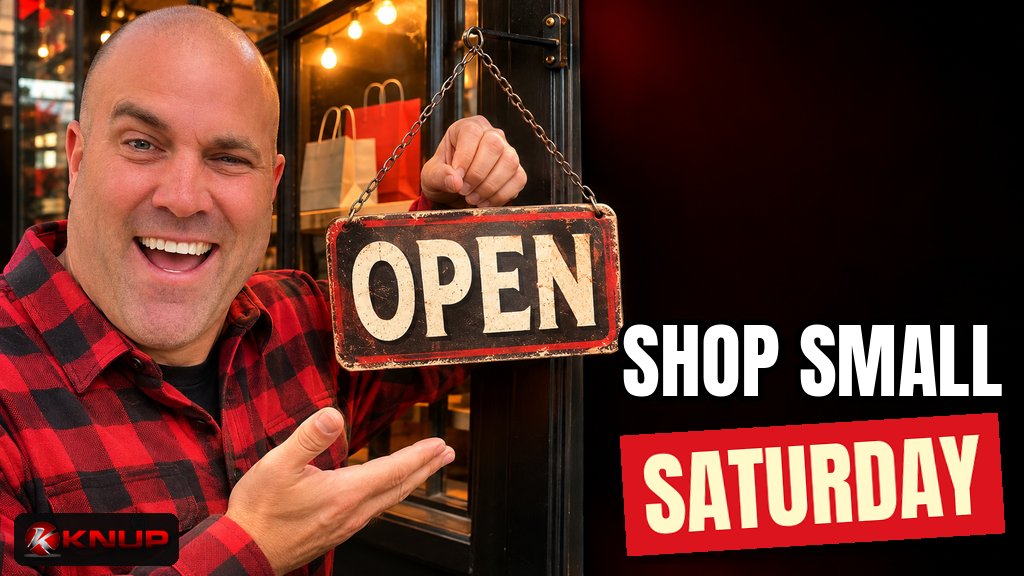
Every year, the Saturday after Thanksgiving turns into a big day for local shops, restaurants, salons, gyms and service businesses. It's called Small Business Saturday, and a lot of people go out that day specifically looking for a small business to support.
Here's the thing most owners miss. The people shopping that day aren't only walking down Main Street. They're asking friends where to go, checking reviews on their phone, and tapping a map. If your hours are wrong, your reviews are stale or your website is painful on a phone, you can lose them before they ever walk in the door.
I've been building websites for small businesses for more than 15 years, and that's a big part of how we think about sites at Built by Knup. Getting ready for a day like this isn't about a big ad budget. It's mostly about cleaning up the stuff people check before they decide to show up.
Here's the practical version.
What is Small Business Saturday?
Small Business Saturday happens every year on the Saturday after Thanksgiving, sitting right between Black Friday and Cyber Monday. In 2026, it's Saturday, November 28.
According to the SBA's Small Business Saturday page, the day was founded by American Express in 2010 and has been officially cosponsored by the U.S. Small Business Administration since 2011. The idea is simple: encourage people to #ShopSmall and spend their holiday money at independent businesses in their own communities.
You don't have to sign up for anything to take part. Any small business can lean into the day. But the businesses that get the most out of it are usually the ones that prepared a little bit ahead of time.
How people actually choose a small business
Before you spend time on anything, it helps to know how customers are actually finding small businesses.
American Express released its 2026 Shop Small Impact Study in November 2026, based on surveys conducted by Teneo. A few findings jumped out at me:
- 88% of consumers agreed they are likely to shop at small businesses this holiday season, which Amex says is the highest level since 2012.
- Recommendations from friends and family are the top way consumers choose a small business (65%), followed by customer reviews (45%) and social media posts (39%).
- 80% of small business owners in the study said Small Business Saturday can help build customer relationships that extend beyond the holiday season.
That second point is the one I'd tape to the wall. Most owners obsess over social posts. Those matter. But the top two ways people pick a business depend on something else: being easy to recommend.
When a friend says "you should try this place," the next thing that person does is look you up. Your Google listing, your reviews and your website are what they find. So that's where we start.
Step 1: Check your Google Business Profile
If you only have time for one thing, do this one.
Your Google Business Profile is the listing that shows up on Google Maps and in Google Search when someone looks up your business or searches for what you do nearby. I wrote a full guide on how to get your business on Google Maps, but here's the quick pre-Saturday check:
- Hours. Are they right? This is the most common mistake I see, and it's the one that costs you the most. Nobody wants to drive across town to a locked door.
- Holiday hours. If you're opening early, staying late or closing on Thanksgiving, set them as special hours. Google lets you set special hours for holidays and events without changing your regular hours, and it even suggests confirming your holiday hours when they're the same as normal so customers know they're accurate.
- Phone number and website. Make sure both work. Click them yourself.
- Photos. Add a few current ones. If your storefront, menu or products look different than they did three years ago, show people what they'll actually see.
- Category and description. Make sure your main category matches what you actually do.
And remember, the listing is free. Google is clear that there's no way to pay for a better spot in the free local results. If someone calls you right before the holidays promising a "guaranteed" top spot on Maps for a fee, be careful.
Step 2: Make it easy for happy customers to leave reviews
Reviews were the second biggest way people chose a small business in that Amex study. And reviews don't happen by accident. Most happy customers will gladly leave one. They just never think to do it unless you ask.
Google's own tips to get more reviews are pretty simple:
- Ask. Google suggests sending customers a review link or having them scan a QR code. You can create both from your Business Profile.
- Reply to reviews. The good and the bad. Short, specific and polite replies show people you're paying attention.
- Value all reviews. Google notes that a mix of positive and negative feedback often feels more trustworthy.
One big rule: don't pay for reviews or bribe people for them. Google says offering incentives like free or discounted goods in exchange for reviews counts as fake and misleading content, and it's strictly prohibited. No "leave us five stars and get 10% off." Just ask nicely and make it easy.
A few easy places to ask in the next two weeks:
- A small sign with a QR code at the register
- A line at the bottom of your receipt or follow-up email
- A quick ask in person when a regular tells you how much they love you
If you get a few fresh reviews in before Small Business Saturday, the people checking you out that weekend will see that real customers are still showing up.
Step 3: Check your Shop Small Map listing
American Express runs a free Shop Small Map that helps people find small businesses that accept American Express cards. If you accept Amex, it's worth five minutes to see if you're on it.
According to the American Express Map FAQs, here's what you should know:
- You have to accept American Express cards to appear on the Shop Small Map, and there are eligibility rules around things like number of locations and industry.
- You might already be listed. Some businesses show up automatically. Others have to opt in.
- You can update it yourself. Log into your American Express merchant account, open the Shop Small Map Listing, select your location, make sure the "Show on Shop Small Map" toggle is on, then edit and save your details.
- Changes aren't instant. Amex says updates can take 2 to 3 business days to show up, so don't wait until the night before.
If you process cards through a third-party processor, Amex notes you may not show up automatically, so check rather than assume.
If you don't accept Amex, skip this step and put that time into your Google profile and reviews instead.
Step 4: Make sure your website works on a phone
Here's where I get a little passionate.
When somebody hears about you from a friend, sees your listing on the map or reads a great review, a lot of them will tap through to your website before deciding to come in. And they're almost always on a phone.
Pull up your own site on your phone right now and check the basics:
- Can you find your hours, address and phone number in a few seconds?
- Does the site load quickly, or does it sit on a blank screen? If it's slow, start with my guide on how to speed up a small business website.
- Does tapping your phone number actually call you?
- Are your holiday hours or Small Business Saturday plans on the homepage? A simple banner is enough.
- Do your forms, booking links and online ordering work? Test them yourself. I keep a whole list of what to test before you launch a website, and most of it applies to a busy weekend too.
You don't need a brand new website by November 28. But if something is broken, fix it now. A busy weekend is the worst time to find out your contact form has been silently failing.
If you're not sure your site has the basics covered, my post on what pages a small business website should have is a good gut check.
Step 5: Grab the free marketing materials
You don't need to design everything from scratch. The SBA's Small Business Saturday page points small business owners to free marketing materials, including sample posters and social media resources, and it links to a social media guide and graphics for the year.
American Express also has a Shop Small page that explains the program and how the Shop Small Map works.
Use them. A poster in the window and a few graphics on your social accounts tell customers you're in on the day, without you spending hours in a design app.
Step 6: Plan what you'll post the week before
Social posts came in third in the Amex study, but 39% is still a lot of people. The trick is to plan them now so you're not scrambling Thanksgiving week.
Here's a simple plan I'd use:
- About a week out: Announce that you're celebrating Small Business Saturday and share your hours for the weekend.
- A few days out: Share what's new, a favorite product, a behind-the-scenes look or the people who work there. Give people a reason to pick you.
- The day before: A quick reminder with your hours and address.
- The day of: A photo or short video of the shop. Real, not polished.
- After: A thank-you post.
Keep every post simple and point people somewhere useful, like your Google listing or your website. And make sure your hours match everywhere. If your Instagram says you open at 9 and Google says 10, people notice.
Step 7: Give people a reason to come back
That 80% stat about relationships lasting beyond the holiday season is the real opportunity.
A lot of the people who come in on Small Business Saturday are new to you. The goal isn't just to sell to them once. It's to give them a reason to come back in January.
A few low-effort ideas:
- Ask if they'd like to join your email list or text list
- Hand them a card with your website and social accounts
- Tell them about something you have coming up after the holidays
- Thank them, and ask how they heard about you
That last one is underrated. If most of your new customers say "my friend told me," you'll know where to put your energy next year.
A simple two-week checklist
If you want the short version, here it is:
- Check your Google Business Profile hours, phone, website and photos
- Add holiday special hours on Google
- Create a Google review link or QR code and start asking
- Reply to your recent reviews
- Check your Shop Small Map listing if you accept Amex
- Open your website on your phone and test hours, calls, forms and speed
- Add a homepage banner with your weekend hours
- Download the free posters and graphics linked from the SBA's page
- Schedule a few social posts for the week before
- Plan how you'll bring new customers back after the holidays
None of these cost much, if anything. Most of them take less than an hour.
Final thoughts
Small Business Saturday isn't won on the day itself. It's won in the couple of weeks before, when you make sure that every person who hears about you can find you, trust you and show up at the right time.
Start with the things people check first: your Google listing, your reviews and your website on a phone. Then layer on the map listing, the free materials and a few planned posts.
If your Google listing is in good shape but your website is the weak link, that's exactly what we build at Built by Knup. Simple, fast sites with the right pages, so the people who hear about you from a friend can go from "I should check this place out" to "see you Saturday."
FAQ
When is Small Business Saturday?
Small Business Saturday is held every year on the Saturday after Thanksgiving, between Black Friday and Cyber Monday. In 2026, it falls on Saturday, November 28.
Do I need to register for Small Business Saturday?
No. Any small business can celebrate the day. You can grab free marketing materials through the SBA, and if you accept American Express cards you can check or update your free Shop Small Map listing, but there's no required sign-up to take part.
How do I get my business on the Shop Small Map?
You need to accept American Express cards and meet Amex's eligibility rules. Log into your American Express merchant account, open the Shop Small Map Listing, select your location, turn on the "Show on Shop Small Map" toggle, then edit and save your details. Amex says updates can take 2 to 3 business days to appear.
How do I get more Google reviews before Small Business Saturday?
Ask happy customers directly and make it easy with a Google review link or QR code from your Business Profile. Reply to the reviews you already have. Never offer discounts or freebies in exchange for reviews, because Google prohibits incentivized reviews.
Should I set holiday hours on Google?
Yes. Google Business Profile lets you set special hours for holidays and events without changing your regular hours. Google even suggests confirming holiday hours when they're the same as normal so customers know they're accurate.
What should a small business post for Small Business Saturday?
Plan a few simple posts: an announcement about a week out with your hours, a post a few days out showing what's new or the people behind the business, a reminder the day before and a real photo on the day. Follow up with a thank-you post afterward.